How to automate document verification at scale
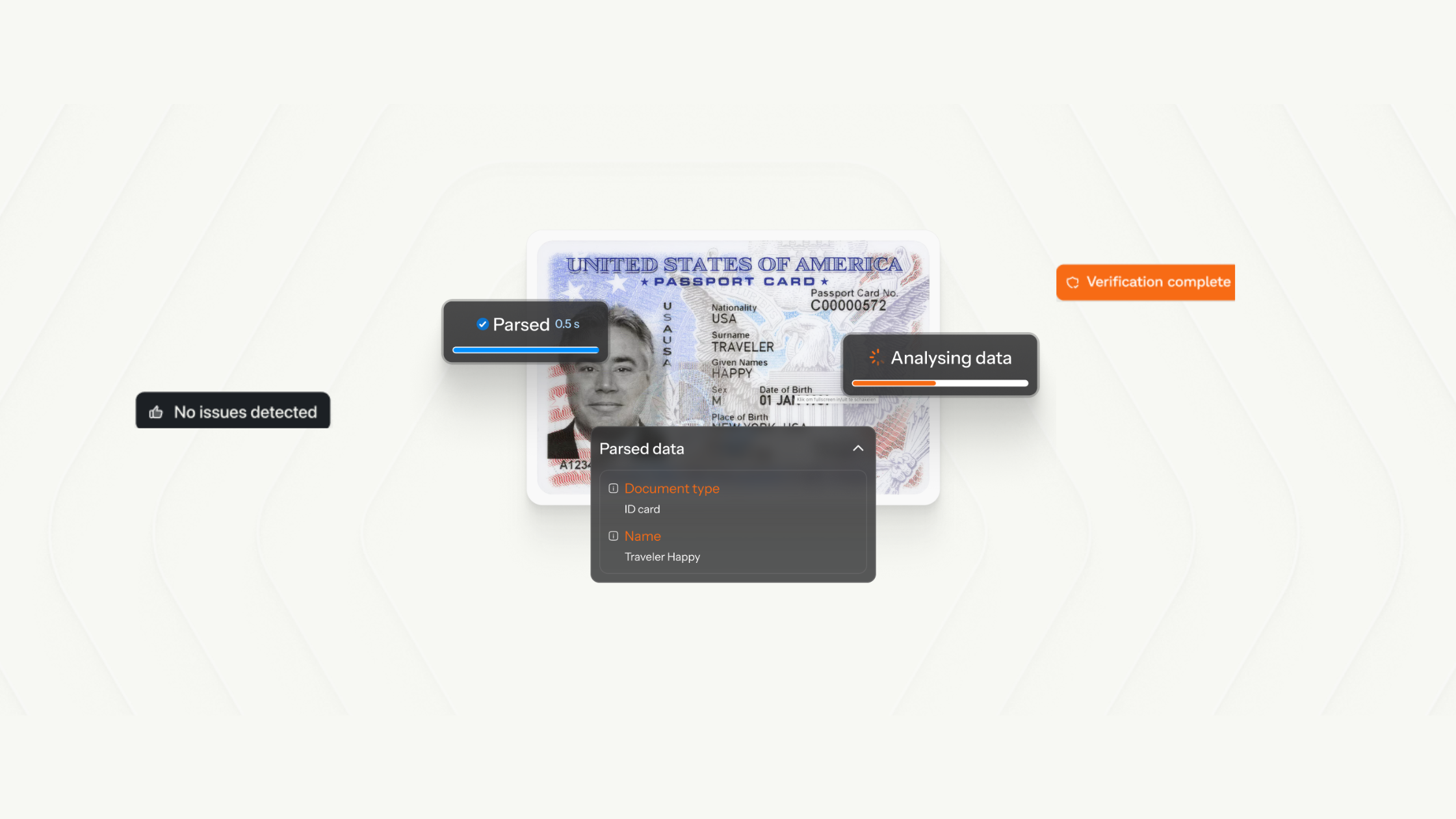
Every team that collects documents and plans to scale eventually reaches the same obstacle.
The first few hundred documents are manageable. Someone opens the file, reads it, pulls out the relevant data, and pastes it into a spreadsheet or a system. As document volume picks up and the team grows, review becomes a bottleneck in the team’s decision-making process.
This document verification problem is not unique to any industry. Every business that collects and reviews documents faces it: lenders, insurers, property managers, HR teams, financial services, etc. The documents may be different but the challenge is the same: extract the right data, confirm it is valid, and make a decision.
Why manual document review does not scale
Manual document review creates three problems:
- It is slow. A single loan application can include a bank statement, a pay stub, an ID document, and a utility bill. Reviewing each document, extracting the relevant fields, and cross-checking the data across all four can take 20 to 40 minutes per application. For a team processing 200 applications a month, that is days of review time every cycle.
- It is inconsistent. Different reviewers catch different things. One analyst flags a document with inconsistent formatting. Another misses it. One spots a suspiciously round income figure that does not reconcile with the transaction history. Another does not. There is no standardised check, and the quality of review, including fraud detection, depends entirely on who is doing it and how alert they are.
- It does not get better with volume. Unlike most operational problems, document review does not benefit from economies of scale. More applications means more documents, and more review time. The only viable solution is to change the process.
What automated document verification actually involves
Automation is a an entire workflow. A complete automated document verification system covers four sequential steps:
1. Authentication
Authentication is the first gate. Before anything else happens, the system inspects the document for signs of tampering or alteration.
This check does not depend on document type. Whether the submission is a bank statement, a pay stub, or an ID document, the integrity check runs the same way. If the document has been tampered with, it is rejected immediately, no further processing required. This is a crucial step for any workflow where document authenticity is a condition of the decision being made, such as lending, onboarding, insurance, tenancy.
2. Classification
Before any data is extracted, the system needs to confirm that the document submitted is the right type. If a customer uploads a bank statement when a utility bill is required, manual review catches this after the document has been received, and requires further interactions with the customer to correct. An automated system catches it immediately and notifies the customer to resubmit immediately.
3. Extraction
Once the document passes classification, the system extracts the relevant fields into a structured format. For a bank statement, this might include account holder name, account number, opening and closing balances, and a full transaction history. For an ID document, it might include name, date of birth, document number, and expiry date.
Unlike traditional OCR, which reads texts off a page without structure, modern document extraction understands context and structure. The output is clean, structured data delivered in a format that integrates directly into your systems.
4. Validation
Extraction produces the data. Validation confirms the data meets your requirements.
This is where business rules come in. If your lending workflow requires bank statements issued within the last three months, the system flags statements that fall outside that window automatically. If a proof of address document shows a name that does not match the application, the system raises it before a human ever sees the file.
The cost of skipping automation
The cost of manual document review is both the time lost to operational inefficiencies and the decisions made on the basis of incomplete or inaccurate data.
When documents are reviewed manually, errors slip through. Fields are misread. Cross-checks are skipped. A bank statement that looks correct at a glance might have been altered. An ID document with mismatched data might go unnoticed until it creates a compliance problem later.
For high-volume workflows, the risk compounds. A single document error in a lending file can result in a loan made to the wrong applicant on the basis of false information. The cost of that loan, and the recovery process that follows, far exceeds the cost of the verification infrastructure that would have caught it.
Building a tiered document review process
Once authentication has run and confirmed the document is genuine, automated verification can route documents by risk level for the remaining steps.
Tier 1: Auto-approve. Documents that pass authentication, classification, extraction, and validation move forward automatically. No human review required.
Tier 2: Return to customer. Documents that fail a specific validation rule, such as an out-of-date bank statement or a name mismatch, are flagged and returned to the customer for correction before they reach your team.
Tier 3: Reject. Documents that fail the authentication check are rejected outright. There is no value in routing a tampered document further into the workflow.
Tier 4: Human review. Documents that pass authentication but contain ambiguous signals such as unusual patterns in the extracted data, and edge cases that fall outside standard validation rules, are routed to a human reviewer. With a well-configured verification stack, this should represent a small fraction of total submissions.
What this looks like in practice
InfraRed's document verification suite covers both layers of the workflow described above.
InfraRed Extract handles classification, extraction, and validation. It confirms the right document was submitted, extracts key fields into structured JSON, and applies your business rules before the data reaches your team. Documents are processed in under 5 seconds with over 99% field-level accuracy on standard document types, including IDs, bank statements, pay stubs, invoices, and incorporation documents.
InfraRed Shield detects fraud in documents. It inspects documents for tampering and alterations that data extraction alone cannot catch — content overlay, metadata inconsistencies, and signs of digital editing. A bank statement can have a valid account number and a matching name and still contain numbers that were changed after the document was issued. Shield is designed to catch exactly that.
Together, the two products cover the complete verification stack. Shield ensures the document is authentic. Extract ensures the data is accurate and complete. Teams using both reduce manual review to the small fraction of cases that genuinely require human judgment.
You can create an account, access free credits, and start testing against your own documents today. Read the API documentation or book a demo to see how Extract and Shield fit your workflow.
Share this article